PdfDocumentView Class
Definition
Namespace: Xfinium.Pdf.View
Defines a viewer control for PDF files.
public class PdfDocumentView : Control, IComponent, IDisposable, IOleControl, IOleObject, IOleInPlaceObject, IOleInPlaceActiveObject, IOleWindow, IViewObject, IViewObject2, IPersist, IPersistStreamInit, IPersistPropertyBag, IPersistStorage, IQuickActivate, ISupportOleDropSource, IDropTarget, ISynchronizeInvoke, IWin32Window, IArrangedElement, IBindableComponent, IKeyboardToolTip, IHandle, IPdfView
Inheritance: Object → MarshalByRefObject → Component → Control → PdfDocumentView
Implements: IComponent, IDisposable, IOleControl, IOleObject, IOleInPlaceObject, IOleInPlaceActiveObject, IOleWindow, IViewObject, IViewObject2, IPersist, IPersistStreamInit, IPersistPropertyBag, IPersistStorage, IQuickActivate, ISupportOleDropSource, IDropTarget, ISynchronizeInvoke, IWin32Window, IArrangedElement, IBindableComponent, IKeyboardToolTip, IHandle, IPdfView
Remarks
Use this control to display PDF files. Set the Document property to display the desired PDF document. Set the Zoom property to adjust the zoom level. Use the PageDisplayLayout property to specify how the pages are arranged in the viewer. The UserInteractionMode property can be used to specify how the user interacts with the PDF document displayed in the viewer.
PdfDocumentView control
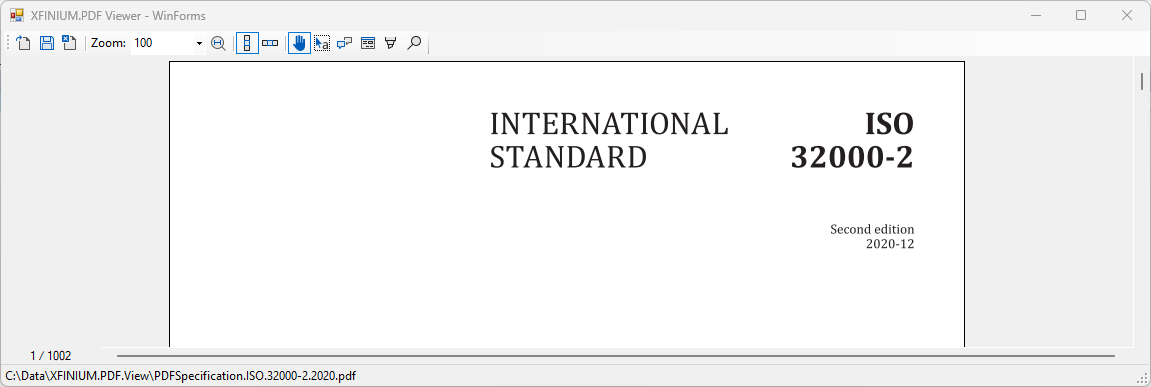 The control can display PDF files loaded from a file or from a stream. The document can be loaded entirely in memory
| C# | |
|---|---|
| C# | |
|---|---|
Page display layouts
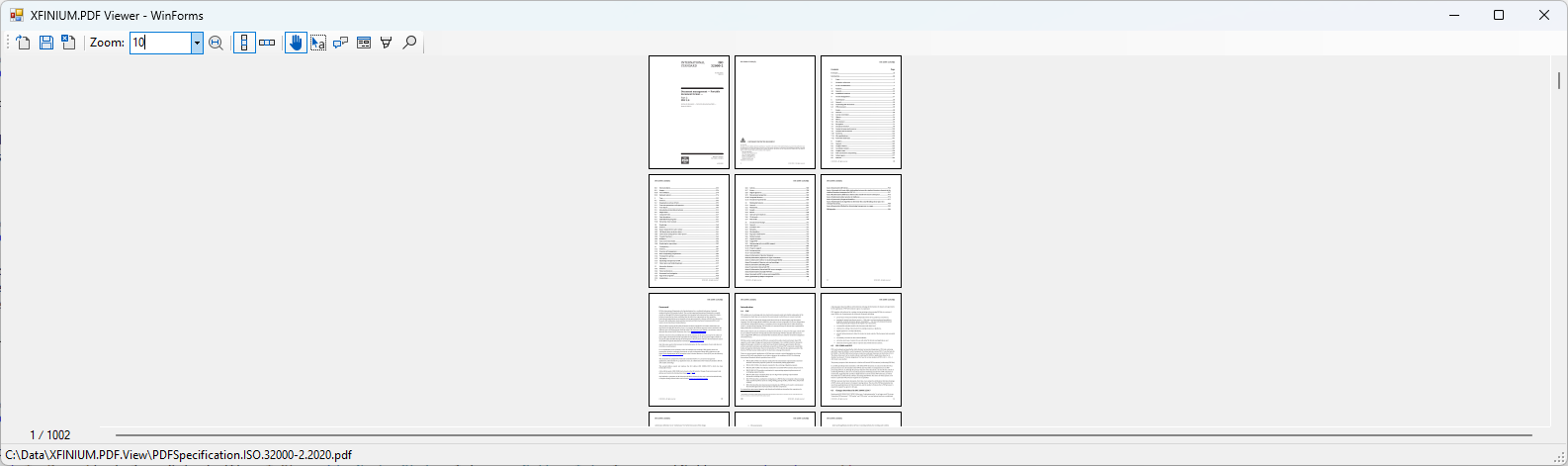
The PDF pages in the viewer can be arranged in different layouts, column oriented, row oriented or fixed grid, the PageDisplayLayout property being responsible for specifying the layout.
The column oriented layout is specified by the PdfColumnBasedPageDisplayLayout class.
| C# | |
|---|---|
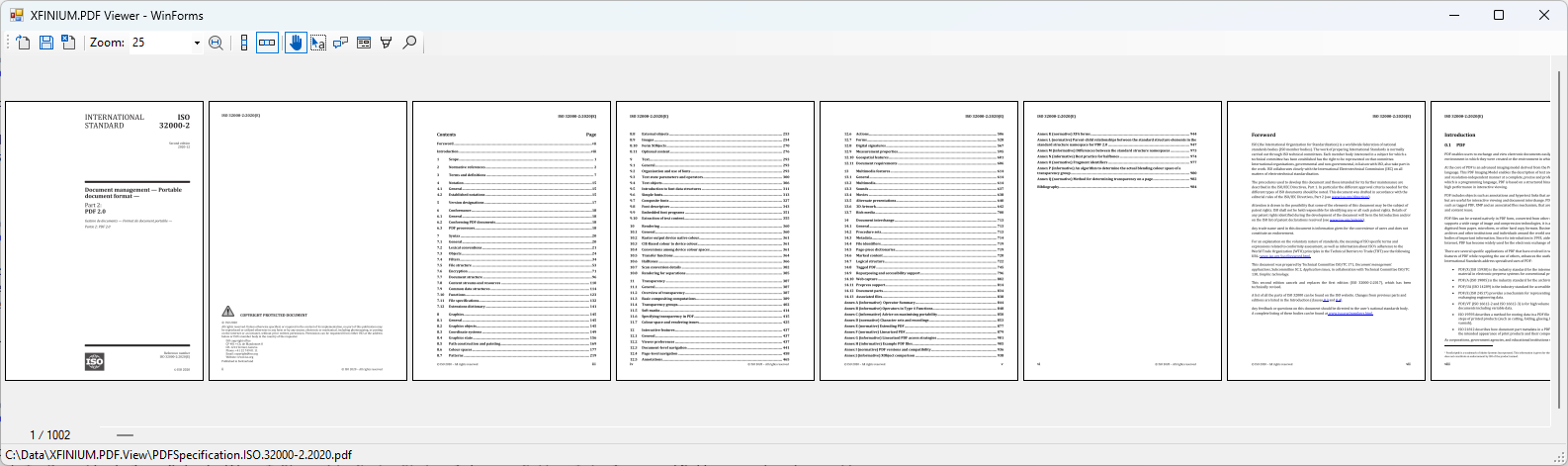
 The row oriented layout is specified by the PdfRowBasedPageDisplayLayout class.
| C# | |
|---|---|
 To display the document in single page mode the fixed grid layout is used, specified by the PdfFixedGridPageDisplayLayout class.
| C# | |
|---|---|
Page zooming
The PDF pages can be zoomed in and out using the Zoom property. The zoom level can be specified as a percentage of the original page size (100% zoom is the original size), or by using the PdfZoomMode enumeration to specify a zoom mode. The pages can also be zoomed in and out using the CTRL key + mouse wheel or on touch devices by pinching the screen.
User interaction
The UserInteractionMode property can be used to specify how the user interacts with the PDF document displayed in the viewer. The user can select text or rectangular page areas (PdfUserInteractionMode.SelectContent mode), can add annotations to the document (any of the PdfUserInteractionMode.Add-Annotation modes), can add form fields to the document (any of the PdfUserInteractionMode.Add-Field modes) or can highlight/underline text in the document (PdfUserInteractionMode.HighlightText and PdfUserInteractionMode.FlatUnderlineText modes).
Context menus
The viewer control can display a default context menu depending on where the user right clicks on the document.
Page context menu
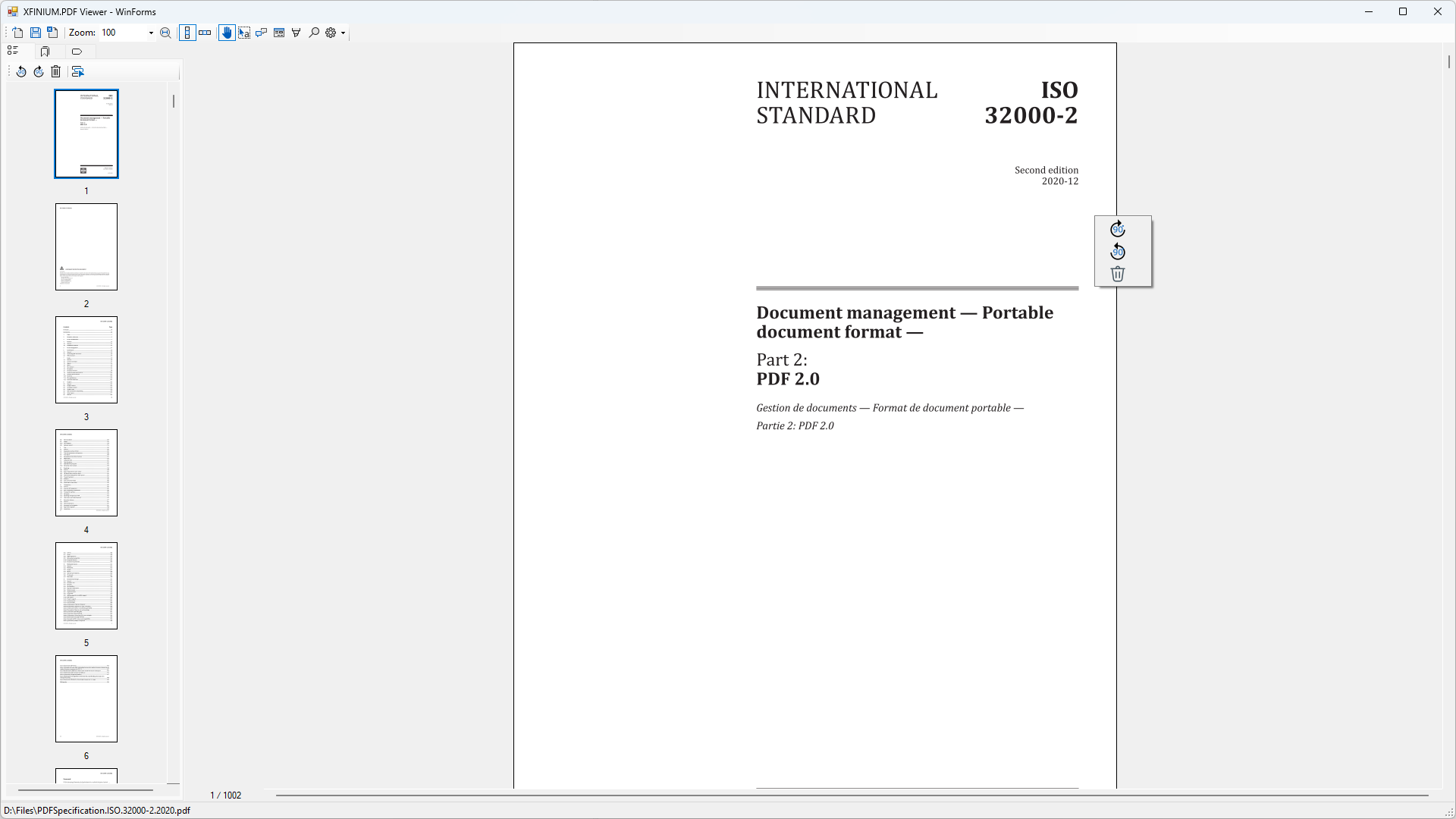 When the user right clicks on a PDF page, the default context menu is displayed, allowing the user to rotate the page or delete it. The following options are available in the default page context menu:
-
 Rotate page 90 degrees clockwise.
-
 Rotate page 90 degrees counterclockwise
-
 Delete page. When the user clicks this option the BeforePageDelete and AfterPageDelete events are raised. The page deletion can be cancelled by handling the BeforePageDelete event and setting the PdfVisualPageDeleteEventArgs.AllowDelete property to false. In this case, the page will not be deleted and the AfterPageDelete event will not be raised.
The default context menu can be disabled by setting the ShowDefaultPageContextMenu property to false.
Example
In your form's constructor connect the document view to a PdfVisualDocument:
| C# | |
|---|---|
| C# | |
|---|---|
Constructor
| Name | Description |
|---|---|
| PdfDocumentView() | Initializes a new PdfDocumentView object. |
Properties
| Name | Description |
|---|---|
| AnnotationSelectionRectangleAppearance | Gets or sets the appearance of the annotation selection rectangle. |
| AnnotationToolTips | Gets or sets the annotation tooltips. |
| ContentPosition | Gets the content position. |
| ContentSize | Gets the content size. |
| DefaultCircleAnnotationAppearance | Gets or sets the default appearance of the circle annotation. |
| DefaultCloudSquareAnnotationAppearance | Gets or sets the default appearance of the cloud square annotation. |
| DefaultFileAttachmentAnnotationAppearance | Gets or sets the default appearance of the file attachment annotation. |
| DefaultFormFieldAppearance | Gets or sets the default appearance of the form fields. |
| DefaultFreeTextAnnotationAppearance | Gets or sets the default appearance of the free text annotation. |
| DefaultHighlightAnnotationAppearance | Gets or sets the default appearance of the highlight annotation. |
| DefaultInkAnnotationAppearance | Gets or sets the default appearance of the ink annotation. |
| DefaultLineAnnotationAppearance | Gets or sets the default appearance of the line annotation. |
| DefaultLinkAnnotationAppearance | Gets or sets the default appearance of the link annotation. |
| DefaultPolylineAnnotationAppearance | Gets or sets the default appearance of the polyline annotation. |
| DefaultRubberStampAnnotationAppearance | Gets or sets the default appearance of the rubber stamp annotation. |
| DefaultSquareAnnotationAppearance | Gets or sets the default appearance of the square annotation. |
| DefaultSquigglyAnnotationAppearance | Gets or sets the default appearance of the squiggly annotation. |
| DefaultStrikeoutAnnotationAppearance | Gets or sets the default appearance of the strikeout annotation. |
| DefaultTextAnnotationAppearance | Gets or sets the default appearance of the text annotation. |
| DefaultUnderlineAnnotationAppearance | Gets or sets the default appearance of the underline annotation. |
| Document | Gets or sets the document displayed in the viewer. |
| FormDesigner | Gets the active form designer. |
| GraphicRendererFactory | Gets or sets the graphic renderer factory. |
| PageDisplayLayout | Gets or sets the current page display layout. |
| PageNumber | Gets or sets the page number. |
| ResizeHandleStyle | Gets or sets the style of the resize handles. |
| RestrictAnnotationsToVisiblePageArea | Gets or sets a flag indicating whether annotations can be added or moved only in the visible page area. |
| SelectionRectangleAppearance | Gets or sets the appearance of the selection rectangle. |
| ShowAnnotations | Gets or sets a value indicating whether the annotations should be displayed or not. |
| ShowDefaultAnnotationContextMenu | Gets of sets a flag indicating whether the default annotations context menu should be displayed when right-clicking on an annotation. |
| ShowDefaultPageContextMenu | Gets of sets a flag indicating whether the default page context menu should be displayed when right-clicking on a page. |
| ShowFormFields | Gets or sets a value indicating whether the form fields should be displayed or not. |
| ShowPageNumberIndicator | Shows or hides the page number indicator in the bottom left corner of the PdfDocumentView control. |
| TextSearchResultColor | Gets or sets the color used for highlighting the text search results. |
| TextSelectionAppearance | Gets or sets the appearance of the text selection. |
| UserInteractionMode | Gets or sets the user interaction mode. |
| Zoom | Gets or sets the zoom level. |
| ZoomMode | Gets or sets the current zoom mode. |
Methods
| Name | Description |
|---|---|
| ConvertPagePointToViewerPoint | Converts a page point in page visual coordinates to a viewer point in viewer coordinates. |
| GetSelectedAnnotations | Gets the collection of selected annotations in the control. |
| GetVisiblePages | Gets the list of visible pages. |
| ScrollToPageLocation | Scrolls the viewer to the specified page at the given location. |
Events
| Name | Description |
|---|---|
| ContentPainted | Gets or sets the event that is fired after the viewer content has been drawn. |
| ContentPositionChanged | Gets or sets the event that is fired when the content position has changed. |
| ContentSizeChanged | Gets or sets the event that is fired when the size of displayed content changes. |
| ZoomChanged | Gets or sets the event that is fired when the zoom has changed. |
| ZoomModeChanged | Gets or sets the event that is fired when the ZoomMode has changed. |
| UserInteractionModeChanged | Gets or sets the event that is fired when the UserInteractionMode has changed. |
| PageNumberChanged | Gets or sets the event that is fired when the page number has changed. |
| PageClick | Gets or sets the event that is fired when a page has been clicked. |
| PageDoubleClick | Gets or sets the event that is fired when a page has been double clicked. |
| PageContextMenu | Gets or sets the event that is fired when a page context menu should be displayed. |
| BeforePageDelete | Occurs before a page is deleted using the Delete menu item in page's default context menu. |
| AfterPageDelete | Occurs after a page has been deleted. |
| PageRenderingStarted | Gets or sets the event that is fired when a page begins to be displayed. |
| PageRenderingCompleted | Gets or sets the event that is fired when the page content for the page visible area is displayed in full. |
| PageRenderingCancelled | Gets or sets the event that is fired when the page stops displaying content. |
| AnnotationClick | Gets or sets the event that is fired when an annotation has been clicked. |
| AnnotationDoubleClick | Gets or sets the event that is fired when an annotation has been double clicked. |
| AnnotationContextMenu | Gets or sets the event that is fired when an annotation context menu should be displayed. |
| BeforeLinkExecute | Gets or sets the event that is fired before a link is executed. |
| AfterLinkExecute | Gets or sets the event that is fired after a link has been executed. |
| AnnotationSelected | Gets or sets the event that is fired when an annotation is selected the PdfDocumentView control. |
| AnnotationDeselected | Gets or sets the event that is fired when an annotation is deselected the PdfDocumentView control. |
| BeforeAnnotationAdd | Gets or sets the event that is fired before an annotation is added through the PdfDocumentView control. |
| AfterAnnotationAdd | Gets or sets the event that is fired after an annotation has been added through the PdfDocumentView control. |
| BeforeAnnotationMove | Gets or sets the event that is fired when an annotation is about to be moved. |
| AfterAnnotationMove | Gets or sets the event that is fired after an annotation has been moved. |
| BeforeAnnotationResize | Gets or sets the event that is fired when an annotation is about to be resized. |
| AfterAnnotationResize | Gets or sets the event that is fired after an annotation has been resized. |
| BeforeAnnotationDelete | Occurs before an annotation is deleted using the DEL key or the Delete menu item in annotation's default context menu. |
| AfterAnnotationDelete | Occurs after an annotation has been deleted. |
| AnnotationToolTipContentRequested | Gets or sets the event that is fired when content is needed for annotation tooltip. |
| AnnotationToolTipPopup | Gets or sets the event that is fired before an annotation tooltip is displayed. |
| AfterContentSelect | Gets or sets the event that is fired after content has been selected on the page. |
| SelectedContentContextMenu | Gets or sets the event that is fired when a context menu should be displayed for selected content. |
| BeforeFieldAdd | Gets or sets the event that is fired before a form field is added through the PdfDocumentView control. |
| AfterFieldAdd | Gets or sets the event that is fired after a form field has been added through the PdfDocumentView control. |