PdfDocumentOutlineView Class
Definition
Namespace: Xfinium.Pdf.View
Defines a control that displays the outline of a PDF document.
public class PdfDocumentOutlineView : TreeView, IComponent, IDisposable, IOleControl, IOleObject, IOleInPlaceObject, IOleInPlaceActiveObject, IOleWindow, IViewObject, IViewObject2, IPersist, IPersistStreamInit, IPersistPropertyBag, IPersistStorage, IQuickActivate, ISupportOleDropSource, IDropTarget, ISynchronizeInvoke, IWin32Window, IArrangedElement, IBindableComponent, IKeyboardToolTip, IHandle
Inheritance: Object → MarshalByRefObject → Component → Control → TreeView → PdfDocumentOutlineView
Implements: IComponent, IDisposable, IOleControl, IOleObject, IOleInPlaceObject, IOleInPlaceActiveObject, IOleWindow, IViewObject, IViewObject2, IPersist, IPersistStreamInit, IPersistPropertyBag, IPersistStorage, IQuickActivate, ISupportOleDropSource, IDropTarget, ISynchronizeInvoke, IWin32Window, IArrangedElement, IBindableComponent, IKeyboardToolTip, IHandle
Remarks
The PdfDocumentOutlineView control displays the outline of a PDF document. The outline is a hierarchical structure that represents the organization of the document's content. Each entry in the outline corresponds to a specific section or topic within the document, allowing users to navigate through the document easily.
The user can interact with the outline to jump to different sections of the document.
PdfDocumentOutlineView control
The control displays the outline of a PDF document in a tree-like structure, allowing users to expand and collapse sections as needed.
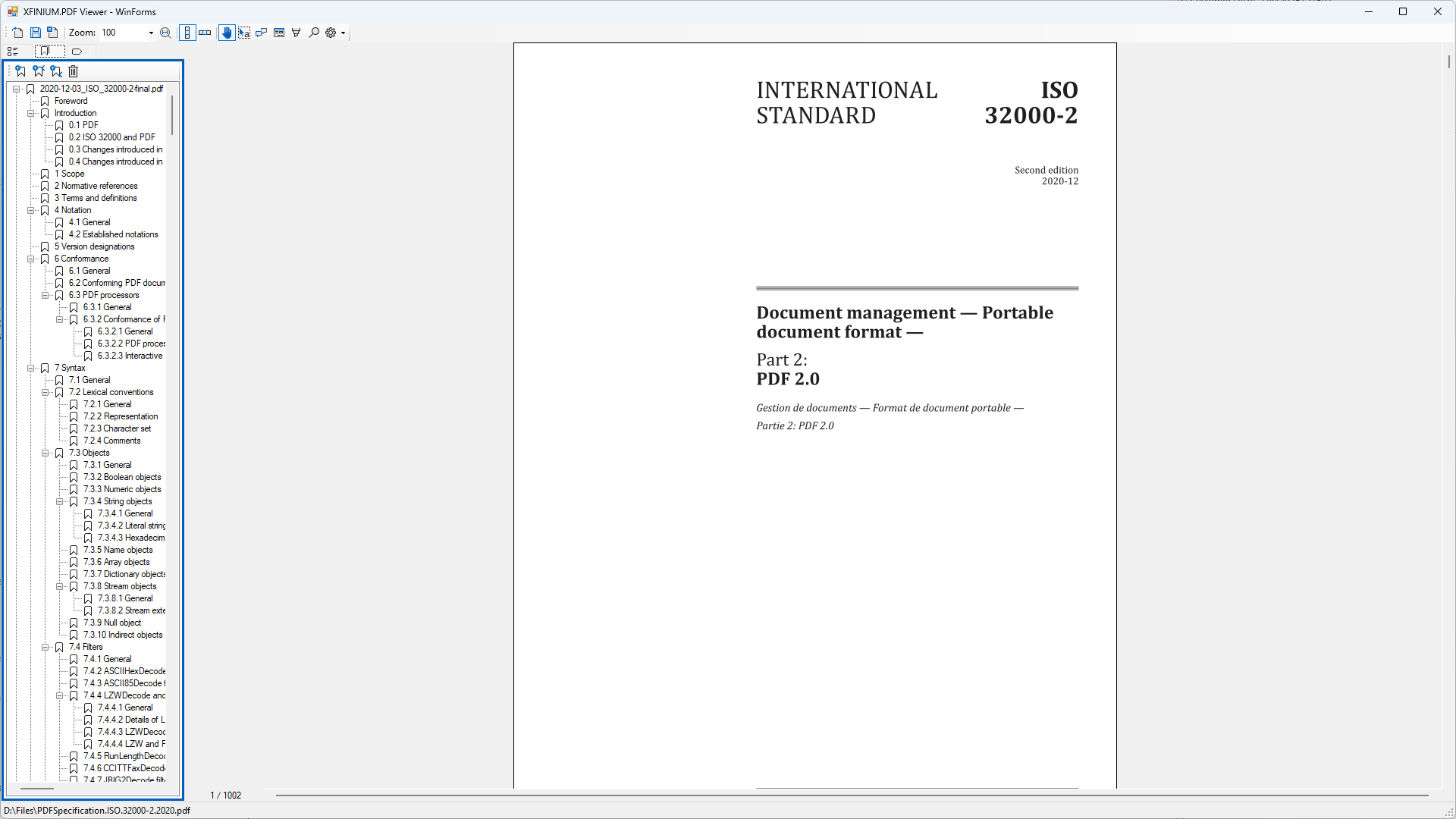 Set the Document property to display the outline of the desired PDF document and the DocumentView property to link it to a document view. When the user clicks on an outline item in the PdfDocumentOutlineView, the corresponding page in the associated PdfDocumentView will be displayed, allowing for easy navigation through the PDF document.
Note
To ensure proper functionality, please make sure the value of the Document property matches the document set in the linked PdfDocumentView. Otherwise, the outline navigation may not work as expected.
The controls also support the ability to add, edit and delete outline items. This can be done programatically or by using the default context menu.
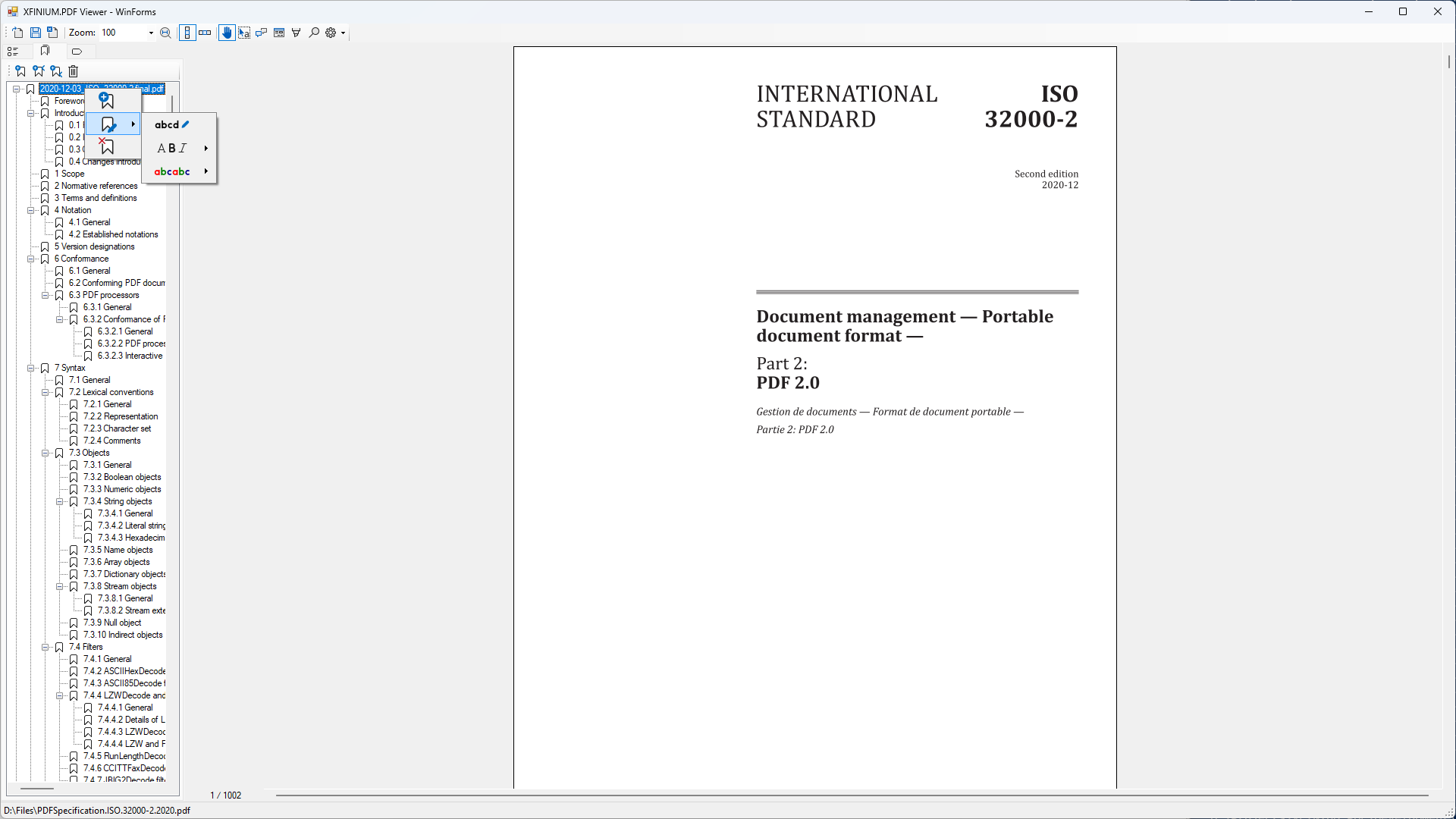 For more details about the default context menu please see the ShowDefaultContextMenu property. This property is used to enable or disable the default context menu. When the default context menu is disabled, the application can provide a custom context menu for outline items.
Keyboard Shortcuts
The DEL key can be used to delete the currently selected outline item. When the user presses the DEL key the BeforeOutlineItemDelete and AfterOutlineItemDelete events are raised similar to clicking the Delete outline item menu item ( ) in the default context menu.
The F2 key can be used to edit the title of the currently selected outline item. When the user presses the F2 key the outline item title becomes editable in the document outline view similar to clicking the Edit title menu item ( ) in the default context menu.
Constructor
| Name | Description |
|---|---|
| PdfDocumentOutlineView() | Initializes a new instance of the PdfDocumentOutlineView class. |
Properties
| Name | Description |
|---|---|
| Document | Gets or sets the visual document for which the outline is displayed. |
| DocumentView | Gets or sets the document view that displays the document content. |
| SelectedOutlineItem | Gets or sets the currently selected outline item in the outline view. |
| ShowDefaultContextMenu | Gets of sets a flag indicating whether the default context menu should be displayed when right-clicking on an outline item. |
Events
| Name | Description |
|---|---|
| BeforeOutlineItemAdd | Occurs before an outline item is added to a PDF document. |
| AfterOutlineItemAdd | Occurs after an outline item has been added. |
| BeforeOutlineItemDelete | Occurs before an outline item is deleted using the DEL key or the default content menu. |
| AfterOutlineItemDelete | Occurs after an outline item has been deleted. |
| SelectedOutlineItemChanged | Occurs when the selected outline item changes. |